

Parents often lose sleep worrying about their little ones. You set up a baby monitor to keep watch, but fuzzy pictures or crackly sounds ruin the peace. This guide shows you simple ways to sharpen those feeds. Clear signals help you respond faster and rest easier. For top-notch audio/video clarity in baby monitors, check out advanced model. According to a study from PubMed Central, nearly one-third of parents report poor monitor performance, which boosts stress levels. Another report from the American Academy of Pediatrics notes that tech limitations affect reliability. You can fix these issues with easy steps.
Understanding the Basics of Baby Monitor Quality
Baby monitors come in different types. Some use radio waves for audio only. Others stream video over WiFi. Each type handles sound and visuals differently. Audio monitors pick up cries through microphones. Video ones add cameras for live views.
Quality depends on signal strength first. Weak signals cause drops or static. Manufacturers design monitors with certain ranges in mind. For example, digital models often reach 1,000 feet outdoors. Indoors, walls cut that distance short.
Video resolution matters too. Basic units offer 720p clarity. Higher-end ones provide 1080p for sharper images. Night vision uses infrared lights to see in the dark. Poor setups dim these features.
Audio works through speakers and mics. Sensitivity levels detect soft whimpers or loud wails. Background noise can drown out important sounds. You adjust volumes to balance this.
Parents face common challenges here. Interference from other devices muddles feeds. Placement affects everything. You learn these basics to spot problems early.
Monitors evolve with tech. Smart features now track breathing or movement. Yet, core quality stays key. Clear feeds build trust in the device.
Research backs this up. Studies show reliable monitors reduce anxiety. For instance, a PMC report highlights how glitches wake parents needlessly. You avoid that with better understanding.
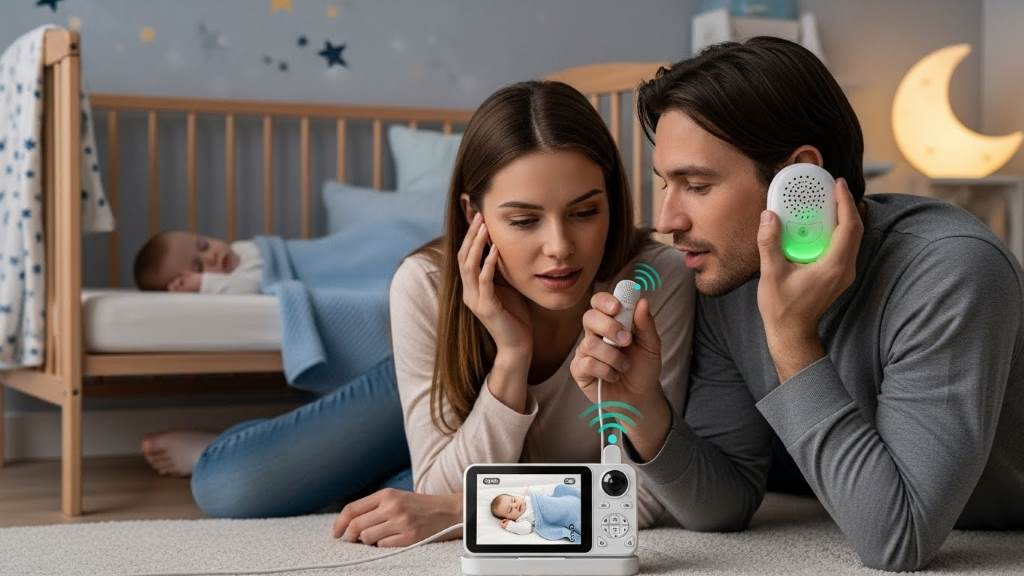
Factors Affecting Audio and Video Quality
Many elements influence monitor performance. Signal interference tops the list. Wireless devices like routers or phones compete for airwaves. This causes static or frozen frames.
Distance plays a big role. Monitors lose strength over long ranges. Thick walls or floors block signals further. Metal objects reflect waves and create dead spots.
Power sources matter as well. Low batteries weaken transmissions. Plugged-in units stay stable longer. However, faulty cords introduce noise.
Environmental factors count too. Humidity or temperature extremes affect electronics. Dust builds up on lenses and mics over time.
Tech specs set limits. Older models lack advanced encoding for smooth streams. Bandwidth on WiFi networks gets crowded easily.
User habits impact quality. Wrong settings mute sounds or dim screens. Overloading apps slows down video feeds.
Research from Consumer Reports notes that HD resolution helps but needs strong connections. Additionally, AAP guidelines warn about range limitations in homes.
You identify these factors to target fixes. For example, moving devices reduces interference right away.
Case studies show real effects. One parent fixed fuzzy video by relocating the router. Another cleared static with fresh batteries. These stories guide your efforts.
Practical Tips to Enhance Video Clarity
Start with camera placement. Position the unit high for wide views. Avoid direct light sources that wash out images. Angle it toward the crib center.
Clean the lens regularly. Smudges blur details. Use soft cloths and avoid harsh cleaners. This simple step sharpens visuals instantly.
Upgrade to higher resolution if needed. Switch from 480p to 1080p models. Newer cameras capture finer details like facial expressions.
Adjust settings in the app. Boost brightness for dim rooms. Enable night vision modes early. Test zoom features for close-ups.
Reduce network load. Close unused apps on your phone. Prioritize the monitor in router settings. This smooths streaming.
Use wired connections where possible. Ethernet cables beat WiFi for stability. However, most monitors stay wireless for convenience.
Add signal boosters. Repeaters extend range in big homes. Place them midway between units.
Examples help here. A family in a two-story house added a booster and saw crisp video upstairs. Another adjusted angles to eliminate shadows.
Research supports these tips. A 2025 study from Coherent Market Insights emphasizes enhanced components for better picture quality.
Follow these steps sequentially. You notice improvements quickly.
Ways to Boost Audio Quality
Focus on mic sensitivity first. Set it to detect soft sounds without picking up everything. Test levels during quiet times.
Position the baby unit close to the crib. Keep it away from noisy fans or windows. This captures clear cries.
Minimize background noise. Close doors to block household sounds. Use white noise machines sparingly.
Update firmware often. New versions fix audio bugs. Check manufacturer sites for downloads.
Switch channels if available. Digital monitors offer multiple options to dodge interference.
Add external speakers for louder playback. Connect via aux ports if supported.
Parents share success stories. One mom updated software and heard whispers clearly. Another repositioned the unit to cut static.
According to BabyGearLab tests, sound clarity scores high with proper setup. Additionally, VTech models excel in audio metrics.
Implement these gradually. Your monitor transforms into a reliable listener.
Related:
Secure Baby Monitors: How Babysense Protects Your Baby’s Privacy
Why Baby Needs Tummy Time: Essential for Development
Troubleshooting Common Issues
Spot problems early. Frozen video often signals weak connections. Reconnect units or restart apps.
Static in audio points to interference. Move devices apart from routers. Change frequencies if possible.
No sound at all? Check volume settings first. Inspect cables for damage next.
Dim night vision needs better lighting checks. Clean infrared sensors. Replace bulbs if dim.
Connection drops happen in large spaces. Shorten distances or add extenders.
Overheating causes glitches. Ensure good ventilation around units.
Reddit users report radio interference as common. Solutions include antenna adjustments.
YouTube guides show step-by-step fixes. For instance, resetting monitors clears temporary bugs.
AAP advises following instructions to avoid tech conflicts. Therefore, read manuals thoroughly.
Track issues in a log. Patterns reveal root causes faster.
Advanced Techniques and Upgrades
Explore smart integrations. Connect monitors to home assistants for voice controls. This streamlines checks.
Use AI features in new models. They analyze sounds for cries versus noise. Video enhancements detect movements.
Opt for low-EMF options. These reduce emissions while maintaining quality.
Install dedicated networks. Set up guest WiFi for monitors only. This isolates traffic.
Customize alerts. Set thresholds for sound levels. Receive notifications for unusual patterns.
Upgrades pay off. A 2025 Bebcare report highlights safer, smarter monitors.
Case study: Parents switched to AI units and caught early wakings. Quality soared.
Research from NIH notes apps display sleep data accurately with good setups.
Balance tech with basics. Advanced tools complement simple tips.
Maintenance for Long-Term Performance
Clean units weekly. Dust affects mics and cameras. Use compressed air for vents.
Store properly when not in use. Avoid extreme temperatures. Keep away from moisture.
Test regularly. Simulate cries to check audio. View feeds in different lights.
Replace batteries yearly. Rechargeables lose capacity over time.
Update apps and software monthly. New patches improve stability.
Inspect for wear. Loose parts cause rattles or drops.
Professional tone here: Maintenance builds reliability. You invest time for peace.
Examples: Families who clean often report fewer issues. Neglect leads to failures.
Consumer Reports stresses regular updates for optimal function.
Follow schedules. Your monitor lasts longer.
Conclusion
You learned key ways to sharpen audio and video on baby monitors. Placement, settings, and maintenance make big differences. Address interference and upgrade as needed. These steps reduce stress and boost confidence. Act now: Check your setup today and apply one tip. Your family sleeps better.
FAQs
Why does my baby monitor video freeze often?
Freezing happens due to weak signals or network overload. Move units closer and close background apps. Restart the router to restore smooth streaming.
How can I reduce static in the audio feed?
Static comes from interference or low power. Relocate away from electronics and replace batteries. Switch channels on digital models for clearer sound.
Is night vision affecting overall video quality?
Poor night vision dims images in low light. Clean sensors and adjust brightness settings. Ensure infrared lights work properly for better clarity.
What if my monitor has no sound at all?
No sound signals muted settings or hardware faults. Check volumes and connections first. Reset the device or update firmware to fix issues.
Can WiFi interference harm monitor performance?
WiFi crowds airwaves and causes drops. Use dedicated frequencies or boosters. Prioritize the monitor in network settings for stable feeds.