

Modern workers spend countless hours on tasks that don’t require human creativity or decision-making. Copying data between spreadsheets, sending follow-up emails, scheduling meetings, and updating records consume valuable time that could be spent on strategic thinking and meaningful work. The good news is that technology has evolved to handle these mundane tasks automatically.
Automation isn’t just for large corporations with massive IT budgets anymore. Today’s tools are accessible, affordable, and surprisingly easy to implement. Whether you’re a solo entrepreneur, a small business owner, or part of a larger team, you can reclaim significant portions of your week by letting technology handle repetitive work.
This guide will show you exactly how to identify automation opportunities, choose the right tools, and implement systems that work reliably in the background. You’ll discover practical strategies that deliver real time savings without requiring programming skills or technical expertise.
Understanding What Tasks You Should Automate
Before diving into specific tools, you need to identify which tasks are worth automating. Not everything should be automated, and knowing the difference saves you time and frustration.
Start by tracking your activities for one full week. Write down every recurring task, no matter how small. Include things like checking certain emails, updating spreadsheets, posting on social media, or sending status reports. You might be surprised by how much time these small tasks accumulate.
Look for tasks that meet specific criteria. The best automation candidates are repetitive, rule-based, and time-consuming. If you can describe a task using clear steps that never change, it’s probably a good candidate. For example, every time you receive a form submission, you copy the data into a spreadsheet and send a confirmation email. That’s perfect for automation.
However, tasks requiring judgment, creativity, or personal connection should remain manual. Don’t automate customer service responses that need empathy or strategic decisions that benefit from human insight. The goal is to free up your time for these high-value activities by eliminating the busy work.
Calculate the potential time savings for each task. If something takes five minutes but happens twenty times per week, that’s nearly two hours you could reclaim. Multiply that across multiple tasks, and suddenly you’re looking at saving an entire workday or more each week.
Starting with Simple Email Automation
Email management consumes more time than most people realize. The average professional spends 28 percent of their workday on email. Automating even a fraction of this activity creates substantial time savings.
Begin with email filters and rules. Most email platforms include built-in automation features that can sort, label, archive, or forward messages based on criteria you set. You can automatically move newsletters to a reading folder, flag messages from important clients, or archive notifications you only need occasionally.
Template responses save time when you frequently send similar emails. Create templates for common scenarios like meeting confirmations, information requests, or project updates. Many email clients let you insert these templates with a few keystrokes, eliminating the need to type the same content repeatedly.
Auto-responders handle initial contact when you’re unavailable or when someone reaches out through a contact form. Set up intelligent auto-responses that acknowledge receipt, set expectations for response time, and provide helpful resources. This keeps people informed without requiring your immediate attention.
Email scheduling tools let you write messages when convenient but send them at optimal times. You can batch your email writing during focused work sessions, then schedule messages to go out throughout the day or week. This creates the impression of constant availability while actually concentrating your email work into dedicated blocks.
Additionally, unsubscribe from newsletters and notifications you don’t read. This isn’t automation per se, but reducing incoming volume makes your actual automation more effective. Fewer irrelevant messages mean your filters and rules work more efficiently.
Connecting Your Apps with Workflow Automation Software
Different applications often need to share information. Manually transferring data between systems wastes time and introduces errors. Workflow automation software solves this problem by connecting your various tools and moving information automatically.
These platforms work on a trigger-and-action principle. When something happens in one app (the trigger), the software automatically does something in another app (the action). For instance, when someone fills out a form on your website, the software can add their information to your customer database, send a welcome email, and create a task for follow-up.
Setting up your first automation is usually straightforward. Most platforms provide templates for common workflows. You simply select a template, connect your accounts, and customize the details. Within minutes, you have a working automation that runs continuously in the background.
Start with high-impact, low-complexity workflows. Good beginner automations include saving email attachments to cloud storage, adding new contacts from forms to your mailing list, or posting the same content across multiple social media platforms simultaneously. These deliver immediate value without complicated setup.
As you become comfortable, you can create more sophisticated workflows. Chain multiple actions together so one trigger sets off a sequence of events. Add conditional logic that makes different things happen based on the specific data involved. These advanced automations can handle complex business processes with minimal supervision.
Monitor your automations regularly to ensure they’re working correctly. Most platforms provide activity logs showing when workflows run and whether any errors occurred. Check these logs periodically, especially after making changes to connected apps or accounts.
Leveraging AI Productivity Tools for Smarter Work
Artificial intelligence has transformed automation from simple if-then rules to intelligent systems that can understand context, learn from patterns, and make decisions. AI productivity tools augment your capabilities in ways that save substantial time.
AI writing assistants help you draft content faster. They can generate first drafts of emails, reports, or social media posts based on brief prompts. While you’ll want to review and refine the output, starting with a draft beats staring at a blank page. These tools also catch grammar errors, suggest improvements, and adapt tone to match your needs.
Transcription and meeting tools automatically convert conversations into text. Record meetings, interviews, or brainstorming sessions, and AI creates searchable transcripts. Some advanced tools even generate summaries, action items, and key decisions from your meetings. This eliminates manual note-taking and ensures nothing important gets forgotten.
Smart scheduling assistants coordinate meetings without the usual back-and-forth emails. These tools access your calendar, propose available times to meeting participants, and automatically schedule appointments based on responses. Some can even reschedule conflicts and send reminders without your intervention.
Document processing tools extract information from invoices, receipts, forms, and other documents automatically. Instead of manually entering data from dozens of documents, AI reads them, pulls out relevant information, and populates your systems. This dramatically reduces data entry time and eliminates transcription errors.
Predictive analytics tools identify patterns in your work and make proactive suggestions. They might notice you always complete certain tasks together and suggest automating the sequence. Or they could analyze your calendar and recommend better times for focused work based on your productivity patterns.
Implementing Smart Business Apps for Specific Functions
Specialized applications designed for particular business functions often include built-in automation features. These smart business apps handle entire processes with minimal manual intervention.
Customer relationship management systems automate sales and marketing workflows. They can automatically score leads based on behavior, trigger email sequences when prospects take certain actions, and alert sales teams when it’s time to follow up. This ensures consistent communication without constant manual oversight.
Accounting and invoicing apps eliminate repetitive financial tasks. Set up recurring invoices that generate and send automatically. Connect your bank accounts so transactions import and categorize themselves. Schedule regular reports that compile and email automatically. These features reduce bookkeeping time substantially.
Project management platforms automate task assignment and progress tracking. Create templates for recurring projects so tasks, assignments, and deadlines populate automatically when you start new work. Set up rules that automatically move tasks to the next stage when previous steps complete. Configure notifications that alert team members without requiring you to remember.
Social media management tools schedule posts across multiple platforms, suggest optimal posting times, and even recommend content based on your audience’s interests. Some can automatically share blog posts when you publish them or create social posts from other content you produce. This maintains your social presence without daily manual posting.
Time tracking software runs automatically in the background, categorizing your activities and generating timesheets. Rather than manually logging hours, these apps detect which applications you’re using and which projects you’re working on. They compile accurate records without interrupting your workflow.
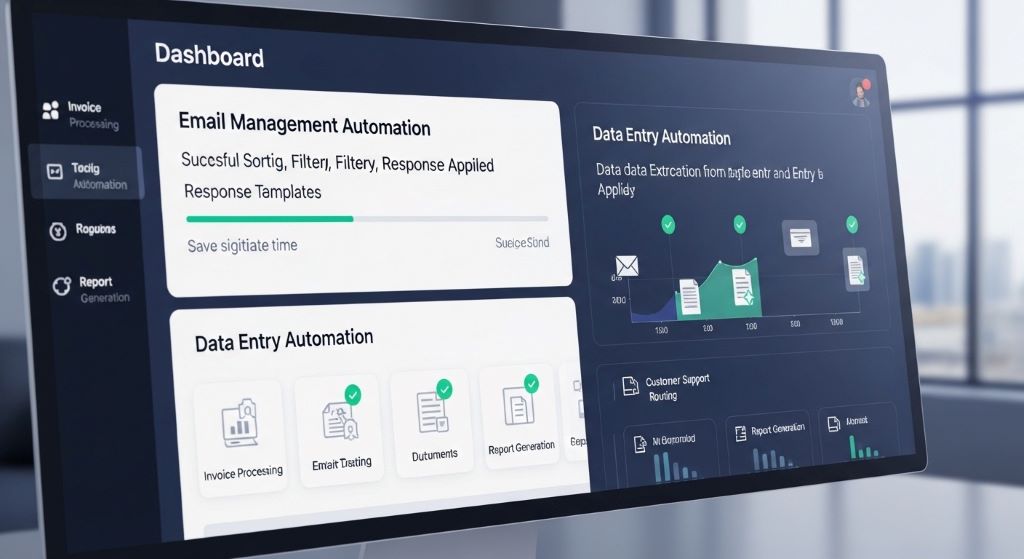
Creating Document and Communication Templates
Templates aren’t fully automated, but they dramatically reduce the time spent on routine communications and documents. Building a comprehensive template library pays dividends over time.
Start with your most frequent written communications. Look through your sent emails and identify messages you send repeatedly with only minor variations. Convert these into templates with placeholders for the specific details that change. Good candidates include client onboarding emails, project status updates, and information requests.
Document templates save time on reports, proposals, and presentations. Create master versions with your standard formatting, sections, and boilerplate text. When you need a new document, copy the template and fill in the specific content. This maintains consistency while eliminating the time spent on formatting and structure.
Checklists and standard operating procedures ensure tasks get completed consistently without having to remember every step. Document your processes for recurring activities, then follow the checklist each time. This prevents missed steps and reduces the mental load of remembering complex procedures.
Response libraries for customer service speed up support interactions. Compile answers to frequently asked questions, solutions to common problems, and explanations of your products or services. Support staff can quickly find and send relevant information rather than crafting responses from scratch each time.
Contract and agreement templates streamline legal paperwork. Work with legal counsel to create standard agreements for your common business situations. When you need a new contract, start with the template and customize only the necessary details. This accelerates the process while maintaining legal protection.
Building Automation in Stages
Attempting to automate everything at once leads to overwhelm and often results in abandoned projects. A phased approach delivers consistent progress and sustainable results.
Begin with your biggest time-waster. Identify the single task that consumes the most time or causes the most frustration. Focus all your initial automation efforts on solving this one problem. Once it’s working smoothly, move to the next priority.
Start simple and add complexity gradually. Even sophisticated processes can be automated in stages. Implement a basic version that handles the most common scenarios first. As you gain confidence and identify edge cases, expand the automation to handle more situations.
Test thoroughly before relying completely on automation. Run your automations in parallel with manual processes initially. Verify that the automated results match what you’d do manually. This testing phase catches errors before they cause problems and builds your confidence in the system.
Document your automations as you build them. Write down what each automation does, which tools it uses, and how to troubleshoot common issues. This documentation helps when you need to modify automations later or train others to use them.
Gather feedback from anyone affected by your automations. If you’re automating processes that involve team members or customers, ask whether the automation improves their experience. Be willing to adjust based on feedback. The goal is to make work easier for everyone, not just yourself.
Overcoming Common Automation Challenges
Even well-planned automation projects encounter obstacles. Understanding common challenges helps you navigate them successfully.
Integration issues arise when apps don’t connect as expected. Not every application plays nicely with automation platforms. Before committing to a workflow, verify that your specific apps are supported and that the integration includes the features you need. Sometimes you’ll need to use intermediary tools or find alternative apps.
Automation breaks when apps update and change their interfaces or features. This is frustrating but inevitable. Build some flexibility into your systems by checking them periodically and having backup plans for critical processes. Join user communities for your automation tools where people often share solutions to problems caused by app updates.
Over-automation creates rigid systems that can’t handle exceptions. Leave room for human judgment in your processes. Include notification steps that alert you to situations requiring personal attention. The goal is to automate the routine while remaining available for the exceptional.
Initial setup time can feel discouraging. Creating your first automations takes longer than doing tasks manually. However, remember you’re investing time once to save time repeatedly in the future. Calculate the break-even point where the time invested in automation is recovered through saved hours.
Security and privacy concerns require attention when connecting applications and sharing data between systems. Use reputable automation platforms with strong security practices. Review the permissions you grant and ensure you’re only sharing necessary data. For sensitive information, consider whether automation is appropriate or if manual handling provides better security.
Measuring Your Time Savings
Tracking the impact of your automation efforts keeps you motivated and helps you prioritize future improvements. Concrete measurements demonstrate the value of automation.
Record your baseline before implementing automation. Document how long tasks currently take and how frequently you perform them. This gives you a comparison point for measuring improvement. Be realistic in your estimates rather than optimistic.
Track time savings after automation is running smoothly. Time yourself occasionally or estimate based on how often the automation runs. Calculate weekly and monthly time savings to see the cumulative impact. Many people are surprised by how quickly small savings add up.
Monitor error rates and quality improvements. Automation often reduces mistakes that occur during manual repetitive work. Fewer errors mean less time spent fixing problems. This secondary benefit can be as valuable as the direct time savings.
Assess your mental workload changes. Some benefits of automation aren’t easily quantified in hours. Reducing the number of tasks you need to remember or decisions you need to make decreases cognitive load. You might finish work feeling less exhausted even if the time savings seem modest.
Calculate your return on investment for paid automation tools. Compare the cost of subscriptions against the value of time saved. For most professionals, even modest time savings justify automation tool costs. Your time has value, and automation often pays for itself many times over.
Expanding Your Automation Strategy
Once you’ve automated your most obvious time-wasters, look for more sophisticated opportunities. Advanced automation strategies compound your time savings.
Automate entire business processes rather than individual tasks. Map out complete workflows from start to finish, then automate every step that doesn’t require human judgment. This creates seamless processes that run with minimal supervision.
Use data to trigger proactive automations. Set up systems that monitor specific conditions and take action automatically when thresholds are met. For example, automatically reorder inventory when stock drops below a certain level or trigger customer follow-up sequences based on purchase behavior.
Create personal automations for life outside work. The same principles and tools that save time at work can streamline personal tasks. Automate bill payments, organize photos, back up important files, or manage household schedules. The time you save in your personal life is just as valuable.
Share your automations with your team. If you work with others, multiply your impact by helping them automate their repetitive tasks too. Create a culture where people actively look for automation opportunities and share successful workflows.
Stay current with new automation capabilities. These tools evolve rapidly, with new features and integrations appearing regularly. Periodically review what’s possible and look for opportunities to improve your existing automations or create new ones.
Conclusion
Automating repetitive work transforms how you spend your time. By implementing workflow automation software, AI productivity tools, and smart business apps, you can reclaim hours each week previously lost to mundane tasks. The key is starting with clear identification of what to automate, choosing appropriate tools for your specific needs, and building your automation systems gradually.
Begin with simple email management and work your way up to more complex process automation. Use templates to accelerate routine communications. Connect your applications so data flows automatically between systems. Leverage AI to handle tasks that previously required human attention. Measure your results to stay motivated and identify new opportunities.
Remember that automation isn’t about replacing human work entirely. It’s about eliminating tedious, repetitive tasks so you can focus on work that requires creativity, strategic thinking, and personal connection. The time you save through automation becomes available for the activities that truly move your business forward and make your work more satisfying.
Start today with one small automation. Pick your biggest time-waster and find a way to automate it. Once that’s working, tackle the next one. Within weeks, you’ll wonder how you ever managed without these systems running in the background, silently saving you hours of work every single week.
Frequently Asked Questions
Do I need programming skills to automate repetitive tasks?
No, most modern automation tools require no coding knowledge whatsoever. They use visual interfaces where you select triggers and actions from dropdown menus. Many platforms provide pre-built templates for common workflows that you can customize with a few clicks. While programming skills can enable more advanced automations, the vast majority of useful automations are accessible to anyone willing to spend a few minutes learning the interface.
How much does automation software typically cost?
Automation tool pricing varies widely based on features and usage. Many platforms offer free tiers that handle basic automations with limited monthly runs. These free plans are often sufficient for individuals or small teams. Paid plans typically range from ten to fifty dollars monthly for personal or small business use. Enterprise solutions cost more but handle higher volumes and offer advanced features. Most people find that even paid tools quickly pay for themselves through time savings.
Can automation work for small businesses or is it only for large companies?
Automation delivers tremendous value for businesses of all sizes, arguably even more so for small businesses. When you have limited staff, maximizing everyone’s productive time becomes crucial. Small businesses often see faster returns on automation investments because they can implement changes quickly without bureaucratic obstacles. Many automation tools are specifically designed with small business needs and budgets in mind. Start small and scale your automation as your business grows.
What happens if an automation stops working or makes mistakes?
Most automation platforms include error notifications that alert you when something goes wrong. They also provide activity logs showing exactly what actions were taken, making it easy to identify and fix problems. For critical processes, you can set up monitoring automations that check whether other automations ran successfully and notify you if they didn’t. Additionally, testing automations before relying on them completely helps catch issues before they affect your business. With proper setup and occasional monitoring, automation is generally very reliable.
How long does it take to see meaningful time savings from automation?
Many people experience immediate time savings with simple automations. Something like email filtering or template usage saves time from day one. More complex workflow automations might take a few days or weeks to set up, but once running, they save time indefinitely into the future. Most automation experts suggest that if an automation takes less time to set up than you’d spend doing the task manually over the next three months, it’s worth implementing. The cumulative savings grow over time, making automation increasingly valuable the longer it runs.
Related Topics:
How to Write Social Media Captions That Actually Get Engagement
How to Start DIY Projects Using a Cordless Drill